If your credentials leak due to internal or external incidents, you should rotate them.
## Rotating the Primary Credential
To rotate your primary (main) credential:
1. Go to your license credentials page.
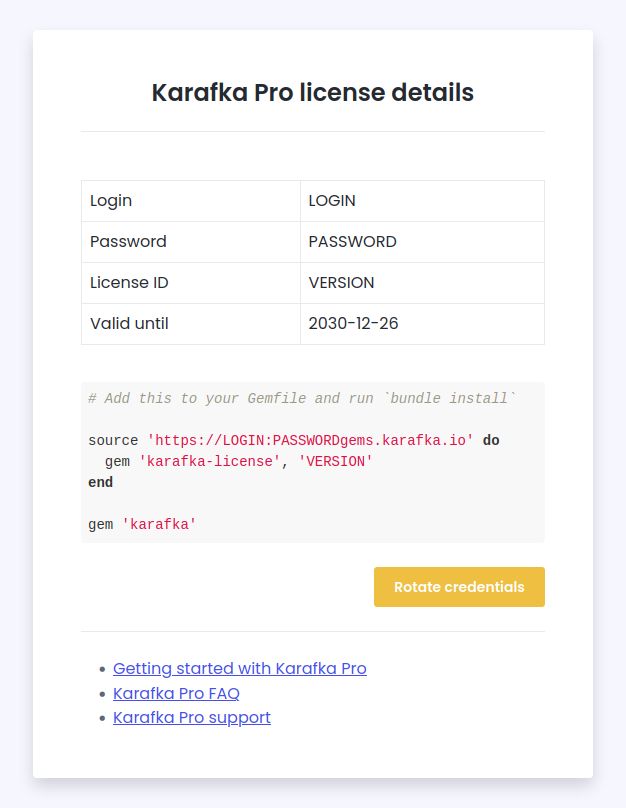
1. Press the "Rotate" button next to the main credential.
1. Read the disclaimers.
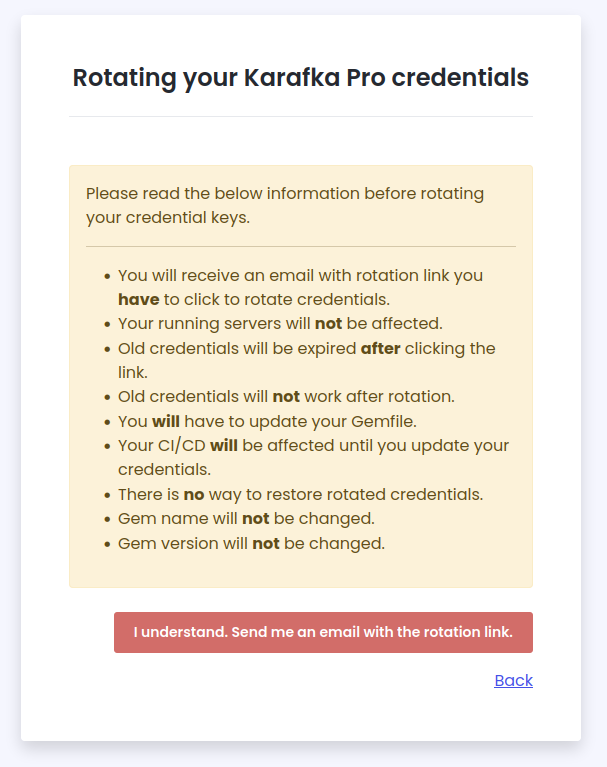
1. Press the "I understand. Send me an email with the rotation link." button.
1. Click on the link received in the email.
1. View your new credentials and replace them in your Gemfile and any other place where you use them.
### Rotating the Primary Credential / Rotating Additional Credentials
If you use [additional credentials](https://karafka.io/docs/Pro-Getting-Started.md#additional-credentials) (e.g. for CI or development environments), each one can be rotated independently from the license page. Press the "Rotate" button next to the specific credential you want to rotate and follow the same email confirmation flow. Only the rotated credential is affected; all other credentials remain unchanged.
### Rotating the Primary Credential / See Also
- [Pro Security](https://karafka.io/docs/Pro-Security.md) - Security best practices
- [Deployment](https://karafka.io/docs/Infrastructure-Deployment.md) - Deployment strategies and best practices
- [AWS MSK Guide](https://karafka.io/docs/Infrastructure-AWS-MSK-Guide.md) - AWS MSK integration guide
---
*Last modified: 2026-06-09 20:03:52*